

I really enjoy helping people simplify the repetition in their work life — and the “to-do’s” still waiting for them at home.
I could build something to help your family (or team) track expenses to simplify tax-time, identify spending patterns, or create confidence that your next invoice captures all your expenses, in a way that works best for you.
App stores don't shape their programs to fit you, they require you to change your process to fit them. I would rather build something that works the way you do!
More of your life back. Anywhere.
What changes
Less repetitive work
Less copying between apps. Less rebuilding the same plan.
More uninterrupted time
At home, at work, or wherever your time actually matters.
Processes that continue while you sleep
The background work keeps moving. You do not have to check on it.
SOFTWARE / EVERYDAY LIFE & WORK
One place the work actually lives.
A household dashboard, a contractor’s job hub, or one place for a school board’s requests. Connect the information you keep copying between apps, and make the next step easier.
Every build is scoped to the work in front of you. These are the pieces that usually matter — and the ones I will tell you to skip.
01
Everything in one view
A shared picture of the household or the work, with the details close at hand.
02
Workflows & approvals
A clear path from request to decision, with nothing waiting silently.
03
Records & history
What happened, when, and who changed it — without a paper trail hunt.
04
Mobile access where it matters
Useful from the soccer sideline, the kitchen, the truck, or the job site.
05
Reporting that is not a rebuild
The report comes out of the system instead of being reassembled from it.
06
Room to grow
Built so the next need does not mean starting over.
When custom software is the right answer+
04 / HONEST LIMITS
What I will tell you not to build.
Custom software is the right answer less often than people expect. If an existing tool does the job, or the process needs fixing before anything is built, that is what you will hear from me first.
NOT YETThe process changes every month and nobody agrees on it
BUY ITAn off-the-shelf tool already does 90% of it well
FIX FIRSTThe problem is a handoff between two people, not a missing system
WEBSITES & LANDING PAGES
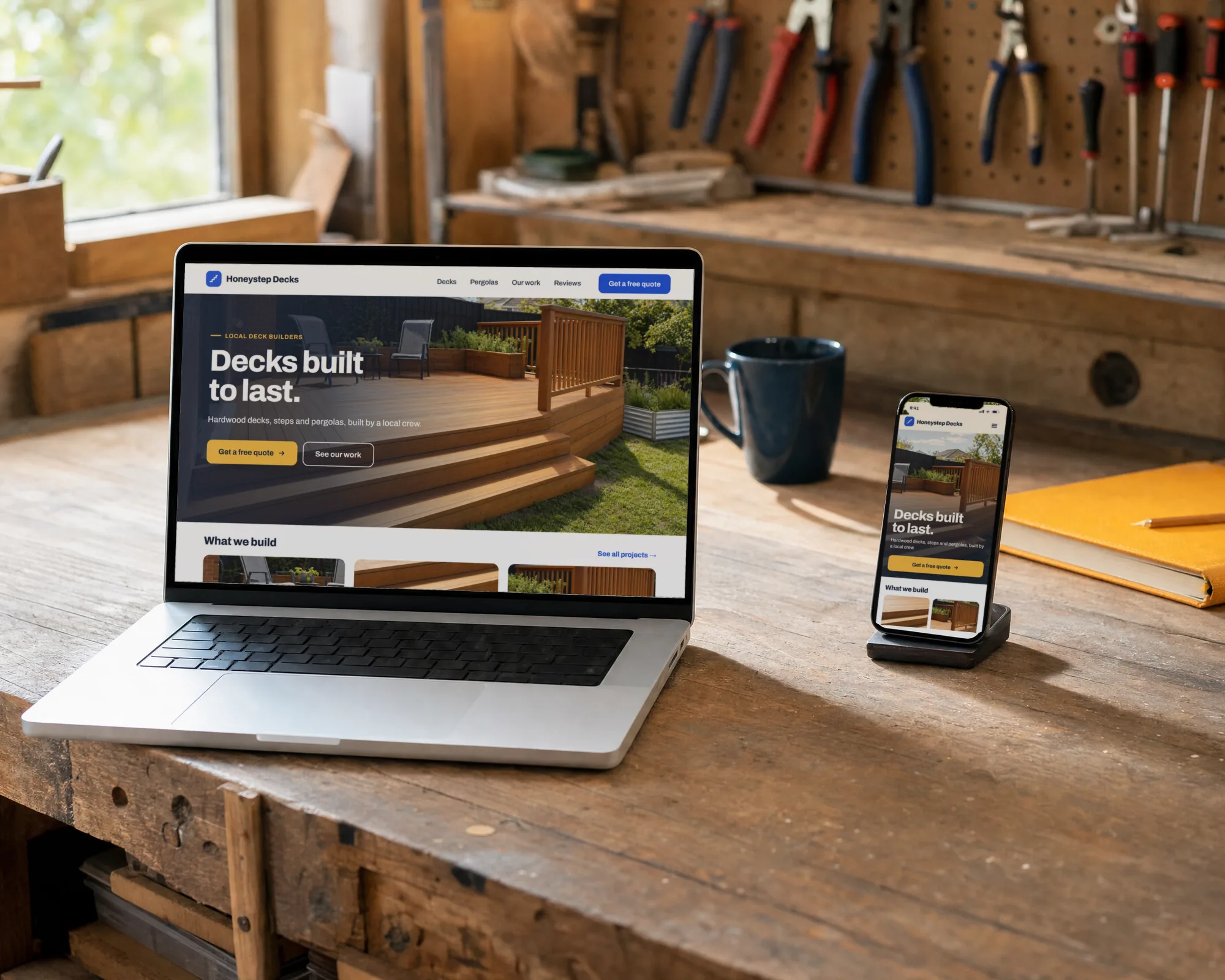
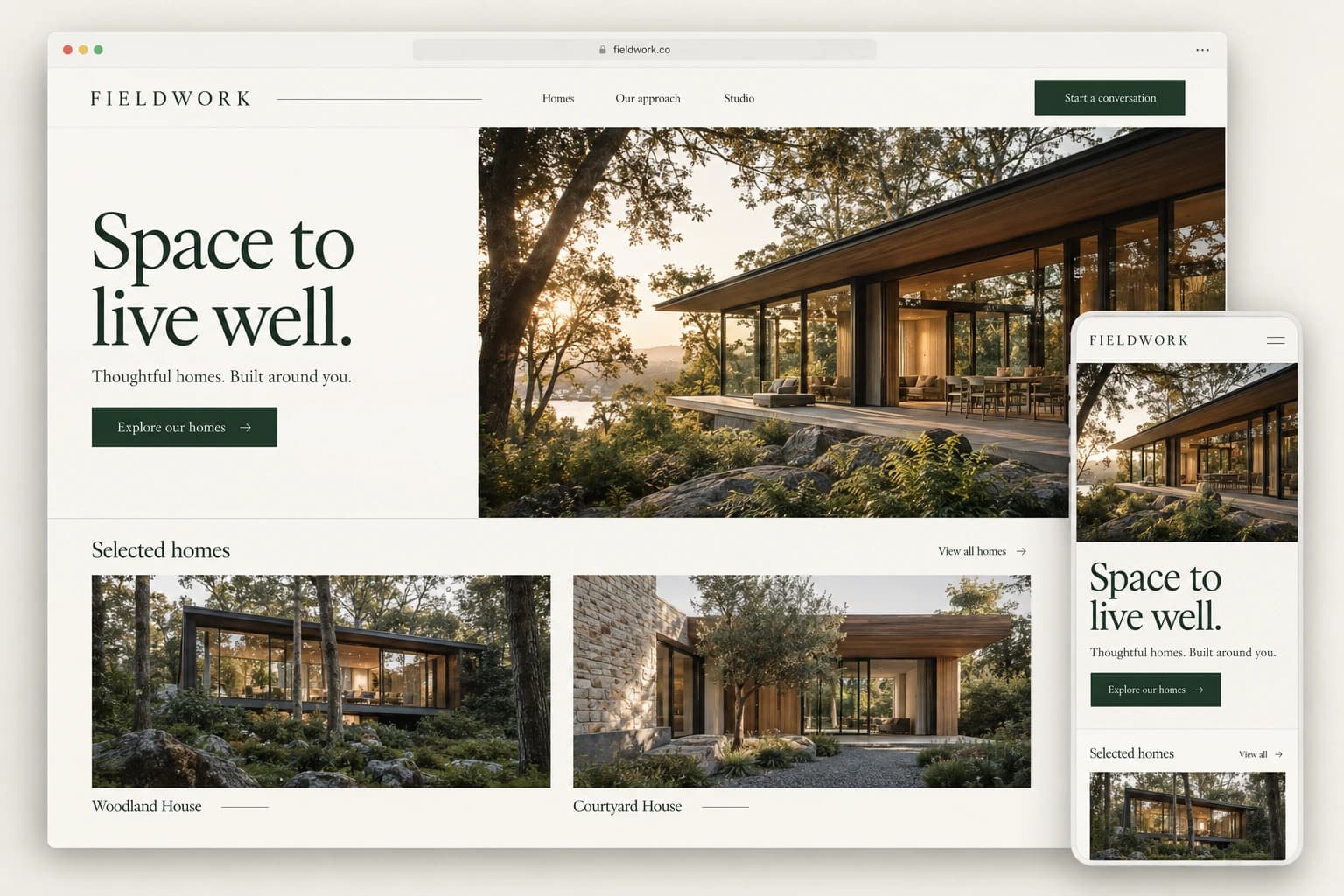
A professional home online — without an agency retainer or a platform that owns the relationship.
I build affordable websites and landing pages for people who want to present themselves, their work, or something important to them professionally online. You might run a business, offer a service, share a project, organize a community, or simply need one clear place to send people.
You own the site. Your domain is yours. And when the project is finished, the source code is yours too.
You can keep working with me, hire another developer, or update it yourself. I don't lock clients into proprietary software just to keep collecting a monthly fee.
INCLUDEDDesign, development, launch setup, and an easy means to make your own updates
INCLUDEDAccessibility and performance are built in from the start, not sold as upgrades
NOT MINEOngoing marketing, ad management, content production, or social media management services
01 / WHEN THIS IS THE RIGHT JOB
Three reasons people call about a site.
All three are really the same problem: the work is good but the explanation is not.
01
The site predates the business
It describes work you outgrew three years ago, and none of your updated processes or technology.
02
Relying on your designer for edits
I set you up to make your own edits as they fit your business — but I am ALWAYS happy to help.
03
The wrong people call
You spend too much time explaining what you don't do, and confirming what you can do.
02 / THE PAGE ITSELF
Structure before decoration.
It should always look good, but it needs to present your information.
ILLUSTRATIVE LAYOUT
ABOVE FOLDWhat you do, who for, and one way to start
PROOFReal work, real names, real numbers — or nothing
OBJECTIONSThe questions asked on every first call, answered
ONE ACTIONRepeated down the page, never three competing buttons
04 / WHAT IT RUNS ON
Fewer moving parts to look after.
A plugin-based content-management site can combine third-party extensions, a database, and an administrator login. Outdated code, vulnerable extensions, or stolen credentials can create ways in. For a straightforward website, I keep those moving parts to a minimum.
NO PLUGINSThird-party plugins and themes can introduce vulnerabilities, especially when outdated or compromised. These pages do not depend on a collection of CMS plugins; the underlying software still needs maintenance.
NO DATABASEThe page content is built into the site, without a content database to maintain. That removes one component from the public website.
NO LOGINThere is no public content-management login on this site. Hosting, email, and development accounts still need strong protection.
PREBUILTContent pages are generated ahead of visits. Interactive features and the contact endpoint still run code and need appropriate security controls.
AN EXCEPTION
Sending the contact form calls a single endpoint. It checks the message, hands it to an email service, and stores nothing. The page content is prepared in advance; interactive features run in your browser.
WHAT THIS IS NOT
A promise that nothing can ever go wrong. Hosting accounts, dependencies, and contact services still need updates and protection. A simpler site reduces what needs looking after; it does not remove that responsibility.
POSSIBILITIES, MADE TANGIBLE
A few examples of what this looks like.
Illustrative concepts. Not client work, products for sale, or claims of results.
01 / HOME, A LITTLE LIGHTER
A full day. A lighter evening.
One dashboard shared by the whole family: school notices, activities, meals, shopping, and who is handling what. Optional guest invites let you give a grandparent or babysitter limited access to only what they need.
THE FAMILY DESK
One dashboard. The whole family (or team).
Share plans, school notices, meals, and tasks with everyone in your family. Invite a grandparent, babysitter, or other guest when you want to—and choose exactly what they can see or change.
INTERACTIVE CONCEPT Fictional household
WEDNESDAY / YOUR SHARED PICTURE
A plan the whole family can see.
Soccer practice
Riverside field · cleats, water, blue jersey
Alex
Pickup overlaps with work
Alex is working until 17:30. Sam’s shared availability is open.
Clash
Dinner without another decision
Lemon chicken bowls · 25 minutes · ingredients in your meal plan
Sam
A SCHOOL NOTICE, MADE USEFUL
FRI 18
Museum trip Friday · 09:00–14:30 Bring lunch. Signed form required.
These details came from a sample notice. Review them, then add the connected plan and packing list.
Try it: add the school plan, resolve the pickup, or combine the shopping list. Sample data only.
Explore the concept 10 capabilities ↗
Illustrative concept · not client work
Who it is for
Busy parents and households
The question
Why am I the only person who knows where everything is?
Approach
One household workspace with reviewable suggestions that turn scattered information into a practical plan.
It is 5:30. Your second shift should not start with admin.
One parent is finishing work. The other is heading to soccer. A school form, a pickup change, and tomorrow's bin collection are scattered across messages and memory.
The dashboard connects the school notice to its date and packing list, flags a pickup clash, and combines dinner ingredients into one shopping list. Both parents can review and update the same plan.
Small jobs. A little more breathing room.
Choose the parts that would help your household. You do not need all ten.
One shared view
The whole family can share one dashboard for practice, school dates, household jobs, and the next useful action.
School notice to family plan
Turn the date, location, items to bring, and action required in a school notice into a proposed plan. Check it once before adding it.
A place for school notices
Keep the original school notice beside the extracted details, so you can check the source without searching an inbox.
The right person, the right task
Give a pickup or household job an owner so everyone can see who has it.
A calmer evening handoff
See what is done and what still needs someone, without rebuilding the plan in a group chat.
Meals become a shopping list
Combine ingredients across chosen meals, remove what you already have, and give everyone one editable shopping list.
Spot the pickup clash
See when two activities overlap and compare the availability your household has shared. A person chooses and confirms the handoff.
Receipts without the drawer
Attach a photo to a household expense and keep the original close to its category.
Changes you can review
See suggested dates and tasks before accepting them. Automation should make your choices easier.
Guest invites with limited access
Optionally invite a grandparent, babysitter, or other helper. Choose the information each guest can see and whether they can make changes; the rest of the family dashboard stays private.
02 / RECEIPTS, SORTED
From a pocketful of paper to a clear picture.
Say receipts disappear into pockets, cars, and coat drawers all month — and one person always ends up rebuilding the tax spreadsheet from memory. Instead, everyone in the household snaps a photo the moment they pay. The automation reads each one, sorts it into the right category, and drops it into a shared log.
Come tax time, the categorized log is already sitting there. You have a starting point to review, with the originals close by.
Explore the concept 10 capabilities ↗
Illustrative concept · not client work
Who it is for
Trades and field crews
The question
What did that job actually cost
Approach
Capture receipts with your phone and export organized records into your own software. Clearer records can make accounting easier and reduce bookkeeping costs.
A year of paper in a truck console.
This fictional scenario considers a small trade business where every purchase is recorded — on paper, in a console, in a coat pocket, in a text message. Nothing is missing exactly. It is simply not usable until somebody spends an evening making it usable, usually months after the job it belonged to was invoiced.
The capabilities above describe moving that work to the ten seconds after the purchase, when the information is complete and free. It is a sketch of a shape.
Ten things a shoebox of receipts cannot do.
Photograph the slip before the truck leaves the lot and the rest happens without you. Vendor, date, subtotal, tax, and total come off the image; the job it belongs to is the one you were already on. Nothing gets typed twice, and nothing gets typed in March.
Read off the photograph, not typed in
Vendor, date, subtotal, tax, and total are lifted from the image in the parking lot. What you confirm is five fields already filled, not a form you complete with a thumb while somebody waits on you.
Each tax captured separately
The taxes printed on the slip are recorded as their own figures rather than folded into a total, because that is the form bookkeeping needs them in. What is done with them afterwards is your accountant's call — the tool captures what was printed and stops there.
Costed to the job while you still remember the job
The receipt lands against the work order that was open, and one supplier run can be split across three jobs on the spot. Nobody guesses in April which house the fittings went into.
Faded thermal paper, still readable
A slip that will be blank in six weeks is captured on the day it is legible. The image is kept beside the extracted figures, so the evidence outlives the paper it was printed on.
Duplicates caught before they double
The same slip photographed by two people, or captured once at the till and again off the card statement, resolves to a single cost. Job costs stop being counted twice and margins stop lying to you.
The supplier statement reconciled
The monthly statement is matched line by line against what was captured, and whatever is unaccounted for is listed. A charge nobody authorised gets found in minutes instead of paid quietly for a year.
Price drift, per part, per supplier
What the same item cost across the last six months and three suppliers, without anyone asking for a report. A quiet fourteen percent increase becomes visible before it is buried in eleven quotes.
Warranty and serial captured with the purchase
Purchase date, serial number, and term attached to the tool bought or the unit installed. A warranty claim becomes a lookup instead of an argument lost for want of a piece of paper.
Travel treated as a job cost
Distance and fuel are captured with the receipt, against the job. Travel stops being the cost absorbed silently every week because it was never written down anywhere.
Your records, in your own software
Export a month of organized records and receipt images in a format your own software can use. Having the details ready can reduce the time your accountant spends sorting and entering them, making bookkeeping easier and potentially cheaper.
03 / A WARMER WELCOME. LESS ADMIN.
A table for six. Already taken care of.
The system texts the guest for confirmation itself, updates the booking when they reply, and notifies staff if plans change or nobody answers. The host sees what needs attention, with the whole conversation attached.
m.
Maple & MainFICTIONAL RESTAURANT · INTERACTIVE CONCEPT
Saturday dinner6:00–10:00 PM · sample service
01 / THE GUEST’S WORDS
JL
Jamie LeeNew reservation request
“Saturday at 7, six people, patio if possible. We’re celebrating a birthday.”
Party6 guests
RequestedSat · 7:00 PM
PreferencePatio
Sample rules: a two-hour booking window, capacity checked, and special arrangements reviewed by a person.
THE EVENING BOOK
Morgan · 2 guestsD1
Rivera · 4 guestsP2
02 / THE RIGHT TABLE7:00–9:00 PM
DINING ROOMPATIO
BAR & HOST
ENTRANCE
AvailableUnavailableProposed
Table P3 · 6 seats · PatioTap a table to inspect it.
03 / AUTOMATIC TEXTS & STAFF ALERTS
A conversation that takes care of itself.
Start the demo. The system checks the request and sends the customer a confirmation text automatically. A YES updates the book; a change or no reply brings the conversation to staff.
Fictional data. No real booking or message is created. A live version would connect to the restaurant’s booking system and email or SMS service.
04 / CONCEPT
The chase without the documents
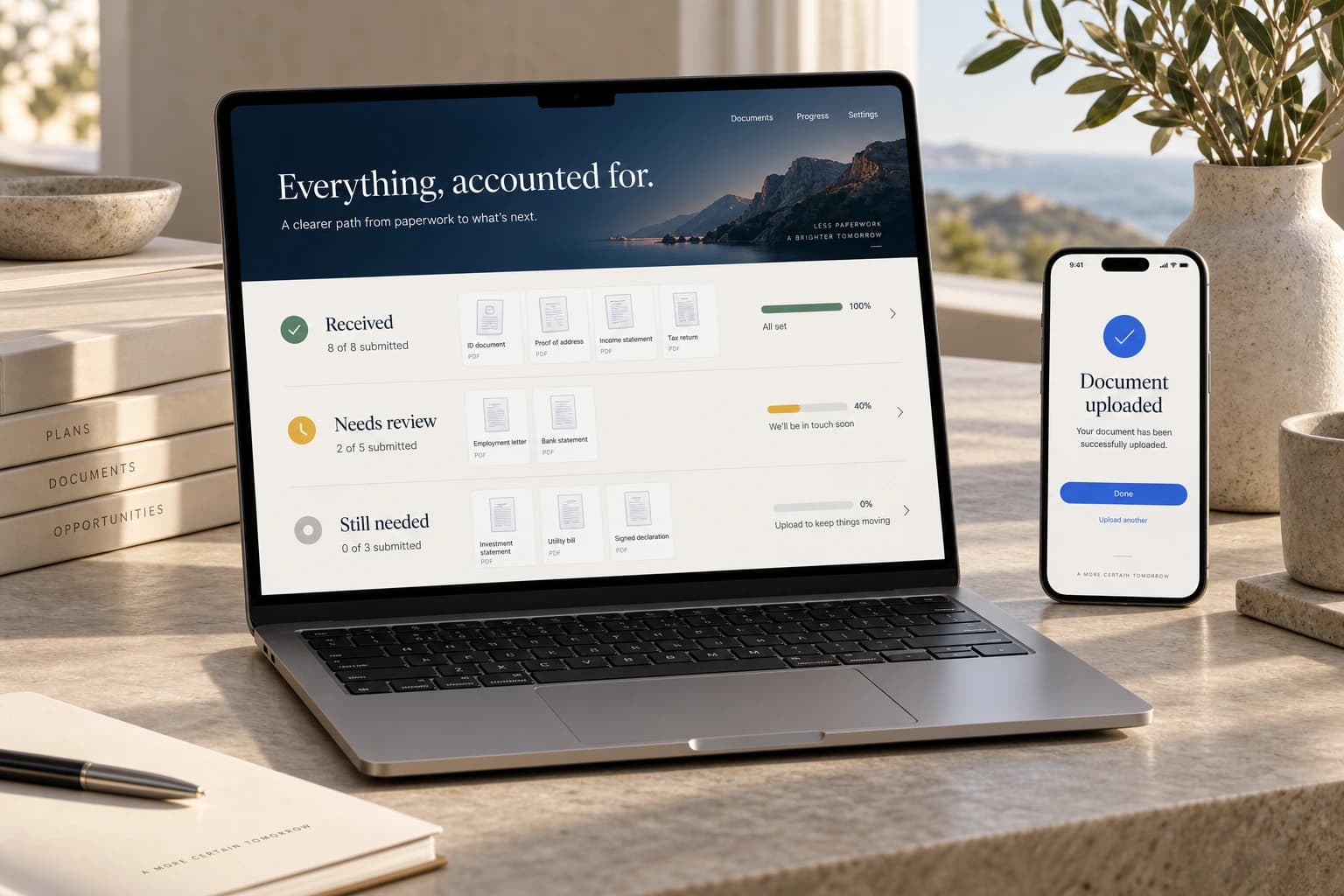
Stop chasing overdue documents by hand. The system tracks every deadline, automatically prompts the right contact, and escalates anything still outstanding, giving you a live view of what's missing without storing sensitive files.
Explore the concept 10 capabilities ↗
Illustrative concept · not client work
Who it is for
Accountants and administrators in busy season
The question
What are we still waiting on
Approach
Holds item names and dates. Never a document, never a figure, never a return
Ninety files and one missing item each.
This fictional scenario considers a practice in the middle of its season, where the work itself is not the constraint. Files sit because one document has not arrived, the chase lives in somebody's sent folder, and the only way to answer what are we waiting on is to open every file and look.
The capabilities above describe tracking the outstanding items instead of the documents, and giving every client sight of their own list. It is a sketch of a shape.
Ten things a chase list can do precisely because it holds nothing.
Busy season is not a filing problem. It is a waiting problem — a hundred files that cannot move because one item has not arrived. Track the items rather than the documents and the whole thing can be solved without a client file going anywhere near it.
It holds the list, never the file
Item names, dates, and whether they arrived. The documents stay in the portal you already use, under the permissions and the retention schedule you already have, because there was never a reason for them to be in two places.
One link per client, showing only what is outstanding
The client sees their own list without emailing to ask for it, and the list is short, because everything already received has come off it. Most of what looks like avoidance is somebody not knowing what is left.
The ask is in the client's words
Items are named the way the person being asked would say them, not the way a system stores them. The other half of what looks like avoidance is somebody not being sure what was asked for.
Ticked off where the document actually arrives
You mark it received wherever it was always going to land. Their link updates, and the reminder they were about to get does not go out.
The chase writes itself
The reminder is drafted from what is still missing, addressed to the person who owes it, and sent by a human. Nobody composes the same email for the ninetieth time in March.
Age on every outstanding item
Eleven days waiting on one client is visible now rather than in the week the deadline lands. The escalation happens while it is still a phone call and not yet a problem.
The blocked list, sorted by what it blocks
Twenty files that cannot move, each held up by one item. Planning the week around what is blocking the most work is a different week from planning it by due date.
Repeat clients start from last year's list
The same eleven items, pre-filled on day one, because last year's list is this year's starting point. The first week of the season stops being spent rebuilding checklists from memory.
Nothing is filed, calculated, or advised
It counts items and dates. It computes nothing, submits nothing, and interprets nothing, which is why it can be adopted in a week rather than surviving a procurement review.
The bottleneck, named
Which item type ran late across every client this year, not just this one. Next January's checklist starts different because of what this January measured.
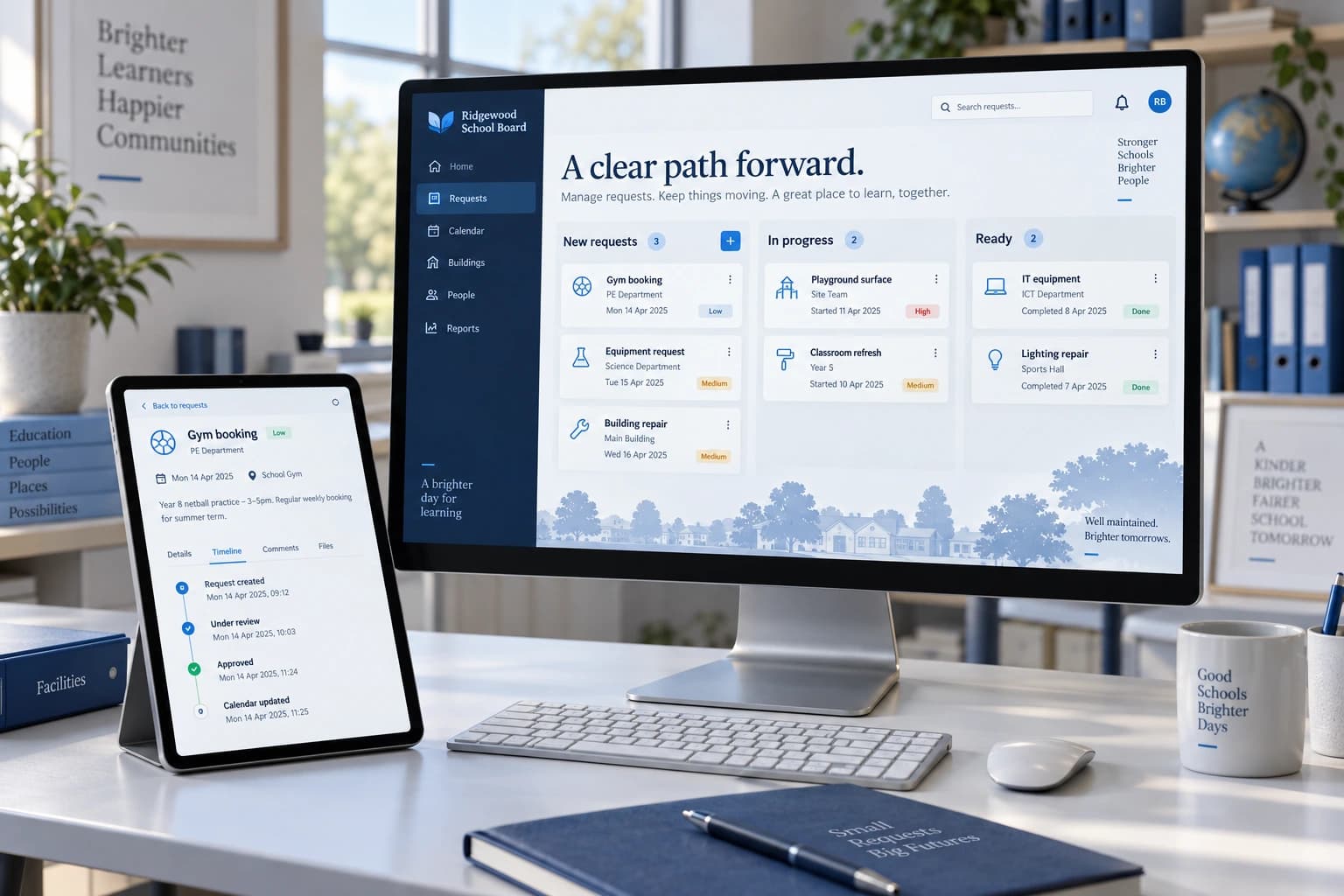
05 / CONCEPT
The wait, made visible
Replace scattered emails with one transparent queue that automatically tracks every request, approver, status, and wait time. Requesters can check progress themselves while approvers instantly see what needs attention, cutting follow-up emails and preventing forgotten requests.
Explore the concept 10 capabilities ↗
Illustrative concept · not client work
Who it is for
School divisions, facilities, and service desks
The question
Who is waiting on whom
Approach
One queue, and a read-only view for the person who asked. It displays what was entered and holds no authority
Three weeks, and nobody can say who has it.
This fictional scenario considers an internal service desk that runs entirely on email. Requests arrive, get forwarded, and are worked in an order nobody outside the team can see. The one question everybody actually asks — who is waiting on whom, and for how long — is the one question an inbox cannot answer.
The capabilities above describe putting the wait itself on screen, including for the person who asked. It is a sketch of a shape.
Ten things an inbox will never tell the person waiting.
A request sent by email disappears from the sender's view the moment it is sent. Everything after that — the following up, the forwarding, the meeting where somebody reads the list aloud — exists only because the person who asked cannot see what happened next.
Every request shows its own age
Not a status word, a number of days. Fourteen days is an argument. In progress is not, because everybody has learned to read in progress as nothing has happened yet.
The requester sees it without asking
The person who submitted it can look at any time, from the link they already have. The follow-up message that exists only to ask whether the first one arrived stops being necessary.
One named person holds it
Not a department and not a queue — a person, with the date it reached them. A request held by everybody is held by nobody, and that is where most of them quietly die.
Handover is a row, not a forward
Passing it on moves the request and keeps its history attached to it. Nothing is lost inside a forwarded chain that started six weeks and four people ago.
Never-touched requests, listed first
Anything submitted and not once opened, at the top of the page. These are the ones that fall between two people, and they are invisible in every other view of the same data.
The status meeting stops being needed
The meeting that existed so somebody could read out what was outstanding is replaced by the list itself. Reading is faster than a meeting and can be done on a Tuesday morning.
What done needed, recorded once
The answer stays with the closed request. The third time the same thing is asked, it arrives with the fix already attached, and somebody's afternoon is handed back to them.
It displays; it does not approve
There is no sign-off in it and no authority attached to a row. Approvals stay in whatever process already holds them, which is precisely why nobody has to review it before it can be tried.
Seasonality, visible
What August looks like beside February, per category. The staffing conversation stops being about how it feels and starts being about a shape everyone in the room can see.
A staff name and a request, nothing more
No student, no personnel file, no medical note, no home address. There is nothing in it that requires a privacy impact assessment, which is the difference between a tool used next month and a tool discussed next year.
WHO THIS IS FOR
You do not need to own a business to benefit from these tools.
Individuals, households, families, side projects, community groups, and small teams all belong here. So do people organizing something important — once, or for the long run.
Small and medium-sized businesses belong here too. What matters is what you want to make easier, not your industry or whether you run a business.
01
Organizing home and family life
Connect school notices, activities, meal plans, shopping, and shared responsibilities in one household dashboard.
02
Running a side project or small team
Track requests, updates, and decisions without rebuilding the same spreadsheet every week.
03
Planning a wedding, reunion, or life event
A page where guests upload photographs, RSVP, and find details — everything in one place.
04
Managing a community group or fundraiser
Keep contributors informed, track progress, and give people one clear place to engage.
05
Handling one-time events or milestones
A baby shower, memorial, graduation, or anniversary — something worth a proper home online.
06
Helping small and medium-sized businesses
Spend less time re-entering information, chasing updates, or rebuilding reports. Tools can fit your people and processes, whatever your industry.
07
Getting a professional home online
For a person, a service, a project, or something important to you — without renting it forever.
These are starting points, not a list you need to fit. If something takes more effort than it should, I’d be happy to hear about it.
You bring the frustration. I help work out what is actually worth building — including the parts that are not.
01
DISCOVER
Understand the current reality
Who is affected, what they do today, and which decision needs to become easier.
Deliverable & your part
What comes out of it
A plain-language description of the problem we both agree on, and the constraints that are real rather than assumed.
What I need from you
A conversation. Ideally with someone who does the work daily.
02
SCOPE
Separate essential from eventual
What has to exist now, what can wait, and what is still unknown.
Deliverable & your part
What comes out of it
A written scope with a fixed first phase, the unknowns flagged in the open, and an honest range rather than a comfortable number.
What I need from you
A decision on what matters most. I will push if it is everything.
03
PROTOTYPE
Make it tangible early
Structure and key workflows you can click through before the full build.
Deliverable & your part
What comes out of it
A working interface for the parts that matter most — the cheapest possible moment to say “that is not how we do it.”
What I need from you
Twenty minutes of blunt reaction from the people who will use it.
04
BUILD
Develop, test, refine
Built against real use and real data, not a demo path.
Deliverable & your part
What comes out of it
Working software, delivered in visible increments so nothing arrives as a surprise at the end.
What I need from you
Access to a realistic sample of your actual data.
05
LAUNCH
Put it into use and keep it alive
Rolled out with the people who will rely on it, not thrown over a wall.
Deliverable & your part
What comes out of it
A running system, a written record of how it works, and a defined arrangement for maintenance and improvement.
What I need from you
You, or someone you choose, to look after it going forward.
How this avoids the usual failures+
HOW IT USUALLY GOES WRONG
The failures I have seen, and how this avoids them.
Most failed builds do not fail during development. They fail at the start, when nobody says the uncomfortable thing.
Scope agreed in a meeting, never written downWritten scope before any build starts
First demo six weeks in, after the wrong thing is builtClickable prototype in stage three
Built for the manager, not the person doing the workDiscovery talks to whoever does it daily
Handed over with nobody responsible for itOne named owner before launch
STORY / ONE PERSON, DIRECTLY
You will always get the honest answer.
If I can solve it, I will explain how. If important details are still unknown, I will say so. If the right answer is outside my scope, I will tell you before you invest more time.
Digitally Vibed is one person — me, Trevor. You will not go through an account manager, wait for a team to convene, or receive a proposal you did not ask for. The conversation stays direct from the first message to the last delivery.
How this all started+
01 / WHY I BUILT MY OWN WEBSITE
A client executive found the problem before I did.
My own website taught me why it matters to understand and own the tools your reputation depends on.
My work as a safety consultant places me alongside some of the largest pipeline operators in North America. One day, a senior executive at one of those clients visited my website. Their company’s security systems immediately blocked it and flagged my company name as a threat.
That was how I discovered my website had been infected by a Trojan.
For 16 years, I had trusted the same company to build and host the site. Earlier that day, a third-party plugin had been compromised, allowing the infection through without my knowledge. The warning did not display the name of the web company, the hosting platform, or the plugin responsible. It displayed my company name — my brand and reputation — to one of my most important clients. Nothing about the infection had been under my control, but it was my credibility attached to it.
My client’s security systems protected them. But I could not stop thinking about the people who might not have their robust security infrastructure — perhaps a small business owner, or someone simply looking for safety advice. If visiting my website had harmed them, it would have been difficult not to feel responsible.
It was one incident after many trouble-free years, but it completely changed how I thought about owning a website. I no longer wanted something so closely connected to my name to depend on plugins, updates, and an arrangement I could not properly see or control.
So I learned how to design and build my own. I wanted a site that was secure, straightforward, and genuinely mine — not something I would have to keep renting from the company that built it. That experience is why I now offer the same kind of ownership to other people.
You should be able to present yourself professionally online without becoming permanently dependent on a web company. Your domain should remain yours, your website should belong to you, and you should be free to take it somewhere else whenever you choose.
To be fair, my builder was very quick to correct the issue, and was professional and accommodating throughout the transition.
02 / MY FIRST SOFTWARE INSPIRATION
I built the first one for myself.
That first experience showed me what I could gain by taking control of a problem for myself. The next lesson came from the same work.
One of the systems I use is an incredibly detailed incident-classification model. It involves energy calculations, highly specific scientific conditions, and dozens upon dozens of rules that can combine into hundreds of different outcomes.
During one assessment, I nearly classified an event at the second-highest level. That result would have escalated through the senior levels of a major multinational client. Then a colleague noticed one detail I had missed. That single crumb of information plunged the classification all the way down to the second-lowest.
It rattled me. I understood the process and took the responsibility seriously, but the correct answer had still depended on someone remembering one detail hidden among hundreds of others. I did not want an important decision to come down to memory — or luck.
So I built a tool to remember everything for me and choose the pathways correctly. It asks a series of straightforward Yes or No questions and produces the correct classification. I can focus on what actually happened while the software keeps track of the rules, relationships, and exceptions behind the process.
That was when I realized what useful software can really do. It does not need to replace your judgment or take a tech whiz to run. Sometimes it simply remembers the things you should not have to — or simply cannot — hold in your head.
03 / THE THREE ANSWERS
The answer can be yes, not yet, or not this way.
A feasibility conversation produces one of three useful outcomes. None of them requires pretending every detail is already known, and none of them costs you anything to hear.
CLEAR FITThe need and a responsible technical path are both understood
DISCOVERYImportant information is still required before scope can be honest
NOT MINEA different capability or direction would serve you better
04 / HOW THIS WORKS
Founder-led means the conversation stays direct.
Digitally Vibed is one person, not an agency team behind an account manager. You can bring an operational frustration, a manual workaround, or an idea that is still unfinished. You do not need to arrive with a technical specification.
01
Plain-language guidance
The conversation starts with the need, not with terminology you did not ask to learn.
02
Clear boundaries
Unknowns, assumptions, feasibility concerns, and out-of-scope work get said out loud, early.
03
No unnecessary complexity
The goal is the clearest responsible solution — not technology for its own sake.
BLOG / THINKING IT THROUGH
A little clarity before you build.
2026 · 07 · 19 · 7 MIN
When a spreadsheet-heavy workflow should become software
+
A practical way to decide whether a spreadsheet still fits the work—or whether the workflow now needs a more dependable system.
Spreadsheets are useful tools. The question is not whether a spreadsheet is modern enough; it is whether the workflow around it remains clear, controlled, and dependable.
The short version
Keep the spreadsheet when the process is small, understood, and safely controlled.
Investigate a system when people repeatedly reconcile versions, re-enter information, chase approvals, or depend on one person to make the workflow function.
Do not automate a process until its decisions, ownership, exceptions, and source information are understood.
The responsible answer may be a better workbook, automation, configuration of an existing product, a custom application, or a combination of those options.
A spreadsheet is not automatically the problem
A spreadsheet can be the right tool for a focused calculation, a controlled planning model, a temporary analysis, or a modest process with one clear owner. Replacing it simply because it is a spreadsheet can add cost and complexity without improving the work.
The real concern is the operating process that has accumulated around the file. A useful workbook can gradually become a shared database, approval queue, reporting system, and institutional memory at the same time. Those responsibilities place very different demands on access, validation, history, permissions, and reliability.
Start by separating the file itself from the workflow it supports. If the workflow is still understandable, bounded, and resilient, improvement may be enough. If the workflow has become difficult to control, it is reasonable to evaluate a system.
Look for evidence that the workflow has outgrown the file
No single inconvenience proves that custom software is required. A pattern of recurring workarounds is more useful evidence. Pay attention to where people spend time reconstructing context, correcting preventable errors, or waiting for information that technically already exists.
The strongest signals usually sit at the handoffs between people and systems. That is where version confusion, informal approvals, missing ownership, and duplicate entry tend to appear.
The same information is entered into several files or systems.
People maintain competing copies and must determine which one is current.
Approvals happen in email or chat and are difficult to connect to the underlying record.
Leadership reporting requires recurring copy-and-paste work before anyone can review it.
Important steps depend on one person remembering how the process works.
Permissions, change history, or traceability matter more than the current setup can support.
Exceptions are common, but the file cannot make responsibility or the next action clear.
Define the work before defining the software
A request to replace a spreadsheet often arrives as a list of fields and screens. That is useful detail, but it is not yet a product definition. A dependable system begins with the decisions people make, the events that move work forward, and the exceptions that need a deliberate response.
Map one real cycle from beginning to end. Identify who starts it, what information they need, where that information originates, who reviews it, what can block it, and what counts as complete. Include the unofficial steps, because the workaround often reveals a requirement that the formal process has missed.
What event starts the workflow?
Who owns each stage and who needs visibility without edit access?
Which information is authoritative, and how current must it be?
What exceptions occur, and who decides what happens next?
What history, evidence, or approval record must remain available?
Compare the responsible options
Once the workflow is understood, compare solutions at the right scale. A carefully designed workbook may remain the best answer. A small automation may remove duplicate entry. An existing platform may cover the process after configuration. A focused custom application may be justified when the workflow is distinctive, the handoffs matter, and the organization needs control that available products do not provide.
A hybrid approach is also common in principle: retain a source system that already works, then add a purpose-built workflow or reporting layer around a specific gap. The feasibility of that option depends on access, integration methods, data quality, permissions, and support responsibilities; it should be verified rather than assumed.
Compare not only the initial build or licence. Consider configuration, migration, training, administration, vendor dependence, maintenance, security, and the cost of continuing the current manual process.
Start with a bounded first step
If the evidence supports change, the first release does not need to reproduce every tab, exception, and historical workaround. Choose one valuable workflow boundary: one group of users, one decision, and one dependable source of information.
Prototype the critical path before committing to the complete build. That creates something concrete for the people who do the work to review. It also exposes missing rules and source-data problems while the cost of changing direction is still lower.
The goal is not to turn every spreadsheet into software. It is to give the right process an appropriately dependable home.
The decision starts with the work
A spreadsheet-heavy workflow should become software when its operational responsibilities have outgrown what the file and its surrounding workarounds can safely support—and when a proposed system is more responsible than improving or configuring what already exists.
Bring the current file, the unofficial process, and the frustrating exceptions into the conversation. Those details are enough to begin determining what the right next step might be.
A business-first comparison of packaged reporting, custom dashboards, and the useful middle ground between them.
The best reporting option is the one that supports the decisions, information, and responsibilities your organization actually has—not the one with the longest feature list.
The short version
Choose an existing product when the need is common, its workflow fits, and the organization can adopt its operating model.
Investigate a custom dashboard when the decision process, information model, or required actions are meaningfully specific to the organization.
Include integration, administration, training, maintenance, and change in the comparison—not only licence and build costs.
A hybrid approach can preserve a dependable existing system while addressing a focused reporting or workflow gap.
Begin with the decision, not the dashboard category
A reporting project can become a product comparison too early. Teams start evaluating chart libraries, vendor feature lists, or interface examples before agreeing on who needs to decide what. That makes it difficult to distinguish a real requirement from an attractive option.
Describe the recurring decision first. Name the person or role making it, the information they require, how current it must be, and what action should follow. Then test each possible solution against that operating need.
If a standard product supports the decision with acceptable configuration and process change, that is meaningful evidence in its favour. If the product leaves the organization rebuilding context outside the tool, the apparent fit may be incomplete.
When off-the-shelf reporting is the stronger choice
An existing reporting or business-intelligence product is often the responsible starting point when the need is well understood across many organizations and the product already supports the required sources, permissions, distribution, and administration.
Packaged software also brings an established product roadmap and vendor support model. Those advantages matter when the organization is comfortable adapting parts of its process to the product and has people who can own configuration and governance.
The reporting workflow is common and does not depend on distinctive operational rules.
Required data sources and authentication methods are supported and have been verified.
Available permissions, refresh behaviour, and audit features match the actual requirement.
Users can work effectively within the product's navigation and reporting model.
The organization accepts the vendor's pricing, roadmap, support boundaries, and degree of control.
When a custom dashboard deserves investigation
Custom does not mean adding a branded surface to standard charts. It becomes relevant when the organization needs an interface organized around a particular decision, workflow, or combination of information that available products do not support cleanly.
The case is stronger when users must move from seeing an exception to assigning, approving, documenting, or resolving it in the same flow. At that point, the need may be operational software with dashboard views rather than a reporting page alone.
Several existing systems need to be understood together, and their access methods can support responsible integration.
Roles require meaningfully different views or actions that packaged permissions cannot express well.
Definitions and workflows are specific enough that repeated configuration workarounds undermine clarity.
The organization needs direct control over the product experience, roadmap, or deployment responsibilities.
A bounded first release can deliver a useful decision or workflow without attempting to replace every system.
Do not overlook the hybrid option
The choice is not always a complete packaged platform or a completely custom system. An organization may keep an established source of record, use a vendor product for general analysis, and introduce a focused custom workspace for one workflow or executive view.
That approach can reduce replacement scope, but it still depends on verified integration access, data definitions, identity, permissions, and clear ownership. A custom layer cannot correct unclear source information by itself.
Prototype the connection and the highest-risk workflow early. If the source cannot provide dependable information, discovering that constraint is more valuable than polishing the surrounding interface.
Compare the total responsibility, not just the starting price
A useful comparison includes every responsibility needed to keep the reporting dependable. Packaged software may include core hosting and upgrades while still requiring configuration, data preparation, licences, training, administration, and vendor management. Custom software may provide closer workflow fit while requiring explicit ownership of hosting, maintenance, security, support, and future changes.
Neither model removes organizational work. Someone must own definitions, access, source quality, and the process for changing a report. Include those responsibilities in the decision so the chosen option remains supportable after launch.
Initial discovery, configuration, or development
Data access, cleanup, integration, and migration
Identity, permissions, privacy, and security review
Training, adoption, and operating-process changes
Ongoing administration, support, upgrades, and enhancement
Exit options and the organization's ability to retrieve or move its information
Choose the smallest responsible fit
A familiar product is not automatically simpler once workarounds and administration are included. A custom dashboard is not automatically better because it can be tailored. The responsible choice is the smallest supportable solution that improves the required decision and workflow.
A candid discovery process should be able to conclude that an existing product, a process change, or a better-managed workbook is the right answer. Custom work begins only when the evidence supports it.
Before you commission a custom dashboard, answer these five questions.
+
Five questions that clarify what a custom dashboard should support—and whether a dashboard is the right answer at all.
A dashboard is only useful when it helps the right person make a clearer decision. These questions help determine what should be built—and whether a dashboard is the right answer at all.
The short version
Name the decision the dashboard should make easier and the person responsible for making it.
Identify the required information, its source, its condition, and how current it must be.
Assign ownership for definitions, access, source quality, and the actions the dashboard creates.
Define what should happen when the dashboard reveals an exception or opportunity.
Agree how the organization will review whether the dashboard remains useful after launch.
1. What decision should become easier?
A dashboard is a means of supporting a decision, not an outcome by itself. If the brief begins with a list of charts, it is easy to produce an attractive surface that still leaves its audience wondering what to do next.
Start with a recurring decision in plain language. A leader may need to decide where an exception requires attention. A coordinator may need to decide which work item should move next. A reviewer may need to decide whether the available information is complete enough to approve. Each of those decisions requires a different interface, level of detail, and update cadence.
Name the primary person or role responsible for that decision. Other audiences may need visibility, but designing one screen to satisfy every level of the organization often removes the context each group needs. A clear primary audience gives the dashboard a useful centre of gravity.
Which recurring decision is currently slow, unclear, or dependent on manual preparation?
Who is accountable for making it?
How frequently does the decision occur?
What is the consequence of deciding late or with incomplete information?
What action should become possible once the answer is visible?
2. What information is needed, and where does it live?
Once the decision is clear, work backwards to the minimum information required to support it. Separate information that changes the decision from information that is merely interesting. This protects the first version from becoming a catalogue of every field the organization can access.
For each required item, identify its source and condition. It may live in a business system, a database, a spreadsheet, a form, a shared document, or an informal exchange between people. Determine whether it can be accessed, how it is structured, how often it changes, and whether the same term means the same thing across departments.
Data availability should be verified before an interface is treated as feasible. An existing system may not expose the necessary information in a supported way. A source may be technically accessible but too incomplete or inconsistent for the intended decision. Those are discovery findings, not interface problems that a chart can conceal.
Which source is authoritative for each required value?
How current must the information be for the decision?
Can the source be accessed through a supported export, API, database connection, or other approved method?
Which definitions or calculations need agreement before they are displayed?
What should the interface show when information is missing, delayed, or disputed?
3. Who owns the information and the definitions?
A dashboard can make a definition visible, but it cannot decide who has the authority to define it. Terms such as complete, overdue, available, at risk, or on track may have different meanings across teams. If those meanings remain unresolved, the interface can make disagreement look more precise without making it more useful.
Assign ownership at several levels. Someone must be accountable for each source, someone must approve shared definitions and calculations, and someone must decide who can view or change information. The organization also needs an owner for the product itself: the person who can prioritize corrections and future changes after launch.
Permissions belong in this conversation early. Executive visibility, operational editing, approval authority, and administrative access are not interchangeable. The design should expose the right detail to each role without relying on everyone to ignore information or controls they should not use.
Who owns the source and addresses quality problems?
Who approves definitions, thresholds, and calculations?
Which roles can view, comment, edit, approve, or administer?
Who decides when the dashboard itself should change?
What history or audit evidence must remain available?
4. What should happen when something needs attention?
Visibility matters only if it connects to an appropriate response. If a dashboard identifies an overdue approval, an asset requiring attention, or a report with missing information, define what should happen next. Otherwise the dashboard may become another place people check before returning to email and spreadsheets to do the work.
The answer does not always require a complex workflow engine. It may be enough to identify an owner, expose the supporting record, and provide a clear route to the existing system where action occurs. In other cases, the value of the product may depend on assignment, acknowledgement, comments, approval, or escalation within the same experience.
Notification also needs restraint. Decide which events justify an alert, who receives it, through which channel, and what happens if nobody responds. More notifications do not create more accountability; a clear response path does.
What condition requires action rather than observation?
Who becomes responsible when that condition occurs?
Can the action happen in the dashboard, or should the user move to a source system?
What context must travel with an assignment, approval, or escalation?
How is the item resolved, and what record of that resolution is required?
5. How will you know the dashboard remains useful?
A dashboard can match its original brief and still lose relevance as definitions, source systems, responsibilities, and operating priorities change. Plan for review rather than assuming the first release will remain correct indefinitely.
Usefulness should be evaluated against the decision named at the beginning. Ask whether the intended people can find the information, understand its condition, and take the required next step. Feedback from actual use is more informative than counting available charts or fields.
Agree who will receive feedback, how corrections are prioritized, and how source or definition changes are communicated. Also define the support boundary: who monitors the system, who manages access, who responds when data is delayed, and who is responsible for technical maintenance.
Is the intended decision clearer and appropriately timed?
Do users understand the source, freshness, and meaning of the information?
Are exceptions reaching a responsible owner with enough context to act?
Which unused or confusing elements should be revised or removed?
Who owns review, support, access, and future enhancement?
A useful first brief can fit on one page
You do not need a technical specification before starting a dashboard conversation. A one-page description of the decision, audience, information, ownership, response, and review process is a stronger starting point than a detailed list of screens built on untested assumptions.
Bring the messy version: the recurring report, the spreadsheet, the inbox handoff, the source-system limitation, and the question leadership keeps asking. Discovery can then determine whether the responsible answer is a custom dashboard, an existing product, a smaller automation, a process change, or something outside the proposed scope.
In plain language: what the form asks for, where it goes, who reads it, and how to have it deleted. Nothing here is padding.
Privacy+
01
What the form asks for
The contact form asks for five things: your name, an email address, what you would like help making easier, any other details you choose to share, and where this comes up. The last two are optional. Nothing else is requested, and there is no phone field.
Please do not include passwords, private records, or sensitive operational data in a first message. The form is not a secure channel for credentials or confidential records.
02
How that information is used
What you send is used to understand the request, ask focused questions, and give you the clearest available next step. If the work is outside my scope, you will be told that directly.
Nothing submitted here is shared, sold, or added to a mailing list. There is no newsletter to be subscribed to.
03
Hosting and form delivery
The site is deployed through GitHub and Vercel. Technical request information may be processed as needed to serve the site from that hosting environment.
What you submit is sent to me as an email through Resend, an email delivery provider. Resend also sends one short confirmation to the email address you entered. It is not stored in a database, and it is not passed to any other service. If that delivery fails, the form tells you so rather than pretending it worked.
04
Analytics and cookies
This site uses Vercel Web Analytics and Speed Insights to understand aggregate traffic and real-world performance. They collect limited technical information — the page visited, the referrer, approximate location, browser and device type, and performance measurements.
Vercel Web Analytics does not use third-party cookies and does not associate this information with an identifiable visitor. No non-essential cookies are used on this site.
05
Access, retention, and deletion
Your message lives in my email inbox and nowhere else on this site. Only I read it. Ask me to delete it and I will, and I will confirm when it is done.
Resend retains delivery logs under its own policy as part of sending the message. That is outside my control and is the only third party in the path.
06
Questions about privacy
Email trevor@digitally-vibed.com or use the contact form. Please leave out sensitive records and credentials either way.
The implementation and release process for this site targets WCAG 2.2 Level AA. A target is not a completed certification, and this page does not pretend otherwise.
Accessibility+
01
The target
WCAG 2.2 Level AA guides the responsive layout, content structure, navigation, forms, interactions, focus behaviour, contrast, and motion treatment on this site.
A final conformance statement should follow implementation, automated scanning, manual keyboard review, and assistive-technology testing — not precede them.
02
What is built in
·Semantic page structure, headings, landmarks, labels, and descriptive alternatives for meaningful media.
·Keyboard access, visible focus, logical focus order, and touch targets sized for phone use.
·High-contrast text and controls, persistent form labels, clear validation, and announced status changes.
·Responsive layouts that avoid horizontal page scrolling from 320 pixels upward and at increased text sizes.
·A complete experience when reduced motion is requested, with nothing essential hidden behind animation or hover.
·Manual and automated checks across modern browsers, mobile devices, and representative assistive technology.
03
How it is tested
The release process calls for keyboard and touch testing, reduced-motion review, 200% zoom and enlarged-text checks, automated accessibility scanning, and manual testing with VoiceOver on iOS and TalkBack on Android, across current desktop and mobile browsers.
04
Known limitations
Known limitations will be listed here as they are identified. This page does not claim that no barriers exist before the production implementation and final review are complete.
05
Report a barrier
Tell me the page or feature involved, what you were trying to do, and — if you are comfortable sharing it — the browser, device, or assistive technology in use. Email trevor@digitally-vibed.com or use the contact form. Please leave out private records, passwords, and sensitive operational data.